P PWAApps
ChaparKhoneh

From the Persian courier house to a private digital workspace.

ChaparKhoneh takes its name from a historic system built to carry important messages across long distances. The modern application brings email, messaging, contacts, calendars, and optional local AI into one self-hosted home.

ChaparKhoneh messenger artwork
The name

What do chapar and chaparkhaneh mean?

The words belong to the history of communication in Iran, where moving a trusted message depended on riders, routes, stations, and fresh horses.

Chapar — چاپار

A chapar was a mounted courier or post rider who carried important messages rapidly between destinations. The Persian courier tradition represented by this name reaches back more than 2,500 years to the Achaemenid imperial relay network.

Chapar-khaneh — چاپارخانه

A chapar-khaneh was a courier house or post station. Riders could hand over dispatches, change horses, rest, and continue the next stage. Its historical roots lie in the relay stations that connected the Achaemenid Empire's long-distance communication routes.

Persian communication history

The earliest organized imperial messaging and postal relay system.

In the Achaemenid Persian Empire, rulers needed a dependable way to carry orders, reports, and intelligence between the royal capitals and distant provinces. A network of royal roads, relay riders, and way stations made rapid long-distance government communication possible.

Darius I expanded roads connecting Susa, Babylon, and provincial capitals. The best-known route, later called the Royal Road, linked Susa with Sardis. Herodotus described the Persian relay system in the time of Xerxes: riders and horses waited at intervals, and each courier passed the dispatch to the next stage.

Established more than 2,500 years ago, the Achaemenid Chapar and ChaparKhoneh tradition is recognized as the earliest organized imperial messaging and postal relay system in recorded history. It carried official correspondence, orders, reports, and intelligence across the empire through a coordinated network of roads, riders, and stations.
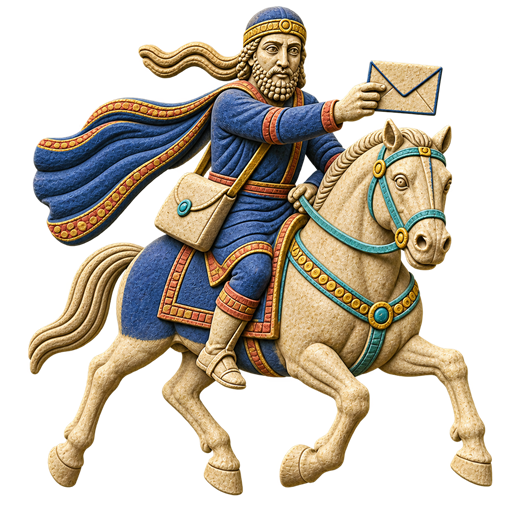
A message moved by trusted handoffs

  1. An official dispatch entered the royal route.
  2. A mounted courier carried it to the next station.
  3. A fresh rider or horse continued the journey.
  4. The relay repeated until the message reached its destination.

Read the Encyclopaedia Iranica history of chapar

A continuing tradition

From imperial relays to the modern post.

Achaemenid Empire

Royal roads and staged couriers connected the administration across a vast territory. Darius strengthened the road network, and later accounts describe its fast relay riders.

Later Persian states

Comparable official postal and intelligence networks continued under the Sasanians and influenced the barid systems used during the early Islamic period.

Continuing courier networks

Successive Persian states maintained couriers and relay routes for government messages, orders, reports, and intelligence, carrying the imperial communication tradition across many centuries.

Qajar chaparkhanehs

Courier stations and regular routes developed into a broader postal network. A regular service between Tehran and major provincial cities began in 1850 and later expanded toward a national public post.

Why this app is called ChaparKhoneh

A modern home for messages and the people connected by them.

The historical chaparkhaneh brought routes, couriers, messages, and handoffs together in one trusted station. The ChaparKhoneh application follows the same central idea in digital form: one private place where communication arrives, is organized, and continues to the right person.

The name also reflects Persian communication heritage without pretending that a web application is the same as the ancient system. The original network connected an empire through physical relays; the modern workspace connects users through self-hosted digital services.

The idea carried forward

  • One station becomes one unified workspace
  • Courier dispatches become email and private messages
  • Routes become configured mail and messaging services
  • Trusted handoffs become controlled users and permissions
  • A protected post house becomes private self-hosted storage

Explore the Achaemenid road network in Encyclopaedia Iranica

Registration

Communication stays available without AI activation.

Every installation receives a unique device UUID. Standard email, messaging, contacts, and calendar features remain available when an installation is unregistered or its licence has expired.

Individual plan Free

Standard communication features remain available without registration. A valid licence is required to enable private AI.

Get licence
Communication workspace

Mail, messages, people, and meetings together.

Mailbox client

Work with Inbox, Sent, Outbox, Drafts, and custom folders. Compose, reply, reply all, forward, save drafts, search, sort, star, mark important, tag, and perform bulk actions.

Messaging

Use private conversations, groups, and channels with encrypted file attachments. Administrators control whether messaging is available and who can create shared spaces.

Private contacts

Each user has a private address book for creating, editing, and deleting contacts. Contact email addresses are encrypted in storage and available only to their owner.

Integrated calendar

Review day, week, and month views. Invitations and calendar events received by email appear in the workspace so upcoming meetings remain close to the conversation.

Private AI

Run assistance from a local GGUF model.

Users can ask the internal assistant questions or select mailbox messages for concise summaries. Summaries follow the message's primary language, including Persian and English, while preserving names, numbers, dates, deadlines, and requested actions.

AI remains inactive until a valid ChaparKhoneh licence is registered and an administrator enables the self-hosted GGUF provider. The planned PWA AI Relay provider remains unavailable until relay support is configured.

Local by design

  • Self-hosted GGUF inference
  • Mailbox-aware concise summaries
  • Persian and English language support
  • No external AI service required
Administration

Central controls for access and services.

Users and access

Manage users, roles, permissions, passwords, and account status while protecting the system administrator account from being disabled, locked, or removed by another administrator.

Mail servers

Configure incoming and outgoing mail servers and import mail autoconfiguration settings.

Messaging controls

Enable or disable messaging and decide who may create groups or channels.

AI and licence

Control AI availability, select its provider, request a device-specific licence, and save the signed registration token.

Installable PWA

A consistent workspace across screen sizes.

Use ChaparKhoneh in a browser or install it on supported desktop and mobile devices. Its responsive interface, application icon, offline shell, light and dark themes, and app-like navigation support focused daily use.

In-app notifications

New mail and messages trigger in-app notifications that take users directly to the relevant mailbox item or conversation.

Privacy

Keep communication data in infrastructure you control.

Mail remains on the configured mail server, application data remains in the deployment's private storage, and the internal AI provider processes prompts locally. Mail credentials are held in a protected, short-lived session and used only to connect to the configured mail server.

Docker image

Pull the published image from Docker Hub, then configure storage, networking, mail servers, and access controls for your environment.

docker pull ssiroos/chaparkhoneh
View ChaparKhoneh on Docker Hub